 KEEP
Do what you save: an app for the links, short videos and ideas you never get back to
KEEP is an iPhone app for saved links, screenshots and ideas that pile up unused. You pick one reason per item (Recreate, Go, Try, Get, Use, Learn, Send or Remember). KEEP then shows what you can do today, with the time, people and place you have.
Coming soon to iPhone
Inside the app
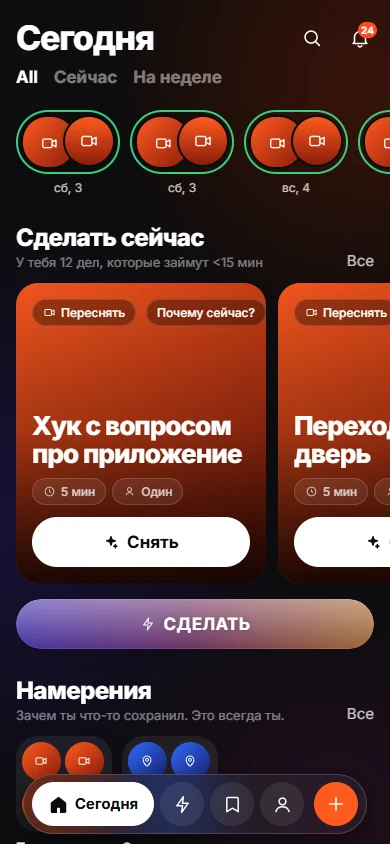
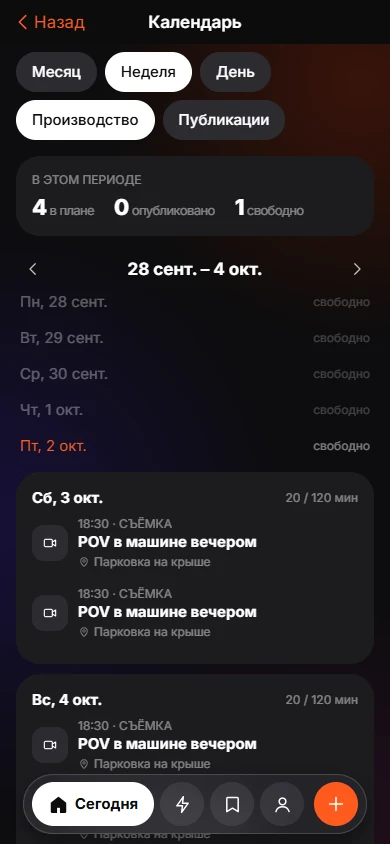
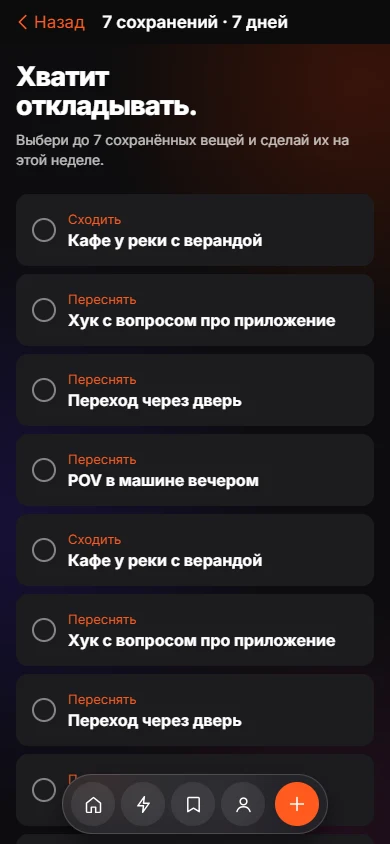
- 01Today: what you can do now
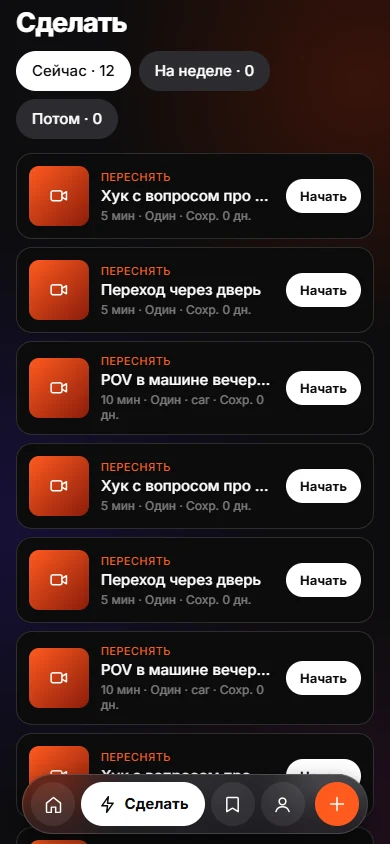
- 02Do: Now, This week, Later
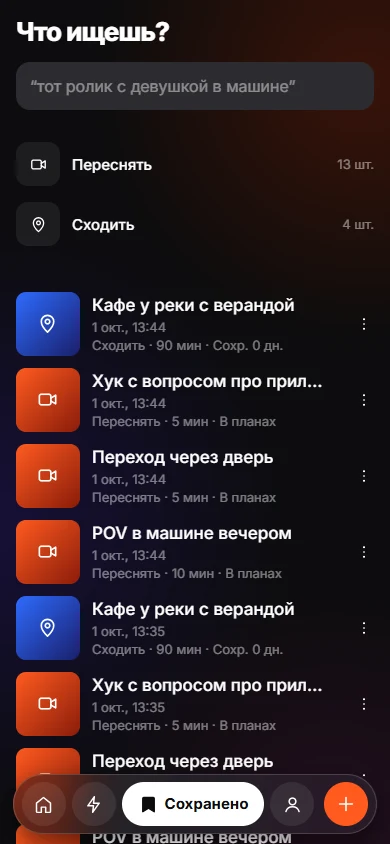
- 03Keeps: search by how you remember it
- 04Calendar for plans and shoots
- 05The 7-day challenge
How it works
- 1Save it with a reasonCopy a link or pick a screenshot, tap +, then choose why: Recreate, Go, Try, Get, Use, Learn, Send or Remember.
- 2See what you can do todayToday and Do sort saves into Now, This week and Later, and each card tells you why it is there.
- 3Do it and count itSwipe right when done. Pick up to seven saves for the 7-day challenge and see a monthly recap of what you finished.
What it does
Creator ModeBuild from saves, batch shoots and a Plan, Shoot, Edit, Publish, Review calendar.Save With a ReasonEight intents, one tap. Your reason stays yours; the AI only observes.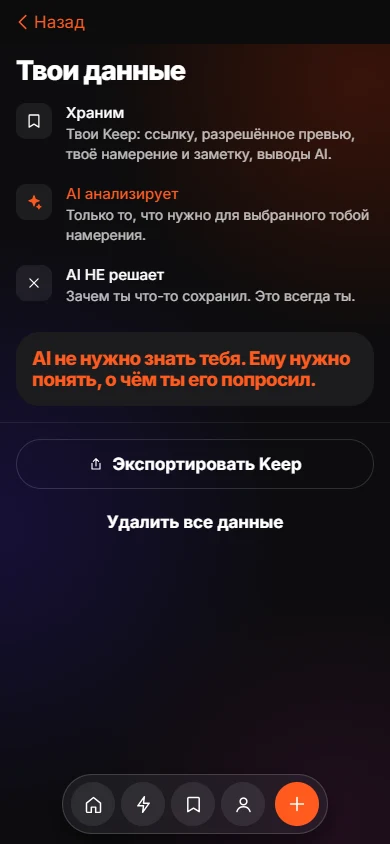 Sort Screenshots on iPhone Into Folders With KEEPPick screenshots, let KEEP read them, confirm one suggested action each.Find a Saved Link by How You Remember ItSearch saved items by memory, with the match reason shown.
Guides
What problem does KEEP solve?
Your saved folder holds the restaurant you meant to visit, the video you wanted to recreate and the recipe you were going to cook. Saving takes one tap and doing takes a decision, so most items sit there. KEEP is built around that gap. The slogan inside the app says it plainly: stop saving your life for later.
The onboarding puts it as a pair of words, Saved and Done. KEEP counts the second one.
How does saving work?
You copy a link, open KEEP and tap +. Paste the link or type a thought, then tap why you want it. The eight reasons are Recreate, Go, Try, Get, Use, Learn, Send and Remember. If you do not know yet, tap Just Keep and the item waits in your Inbox until you decide.
Details are in save with a reason.
- Copy a link from a social app or your browser, or write a note.
- Open KEEP and tap +.
- Pick why you kept it, or choose Just Keep.
Who decides why you saved something?
You do. KEEP reads the item and may notice things, such as a place name or the number of people in a video. These show up under "AI found" as observations. The reason you saved it stays in a separate field that only you fill in.
That separation is the main rule of the product. The AI ranks buttons and suggests; it does not guess your intent. More in the privacy page.
AI does not need to know you. It needs to understand what you asked it to do.
What do you see each day?
The Today tab shows what is closest to doable. The Do tab lists items as Now, This week and Later, and each card says why it is shown, for example "takes about 5 min" or "you marked it Do". Swipe right when done, left for later.
See Today and Do.
Can you find a save by how you remember it?
The Keeps tab has a search box with prompts like "that short video with a girl driving". Results say why they matched, so you can see whether the match came from your reason, a place or recognized text. Search by memory explains it.
What else is in the app?
KEEP can read text from screenshots you choose and sort them into folders. A 7-day challenge asks you to pick up to seven saves and do them in a week. A monthly recap counts what you did, not what you saved. Creator mode adds build-from-saves, batch shooting and a calendar.
What does it cost and where does it run?
KEEP is for iPhone and has English and Russian interfaces. Every feature is free in the current version. A paywall screen exists but purchase is not active yet. The iPhone app is in development.
Your saved items and their analysis are stored on the app server, not only on the phone. Read the privacy page before you save anything sensitive.
Frequently asked questions
What is KEEP?
KEEP is an iPhone app that helps you act on links, screenshots and ideas you save. You choose why you saved each item and KEEP shows what you can do now.
Is KEEP a saved-posts organizer for social apps?
It is broader than that. You can paste links from several apps, add notes and choose screenshots. KEEP does not connect to your social accounts; you copy links into it.
Does KEEP decide why I saved something?
No. The reason is always your choice. The AI only adds observations such as places or people count, and marks them as observations you can correct.
Do I need an account?
No. KEEP creates a random device ID instead of an account. Your Keeps are tied to that ID.
Is KEEP free?
Every feature is free in the current version. A subscription screen exists in the app, but purchase is not active yet.
Which languages does KEEP support?
English and Russian. It follows your system language and you can switch it in Settings.
Keep exploring
Save With a ReasonEight intents, one tap. Your reason stays yours; the AI only observes.Today and DoToday and Do sort saves into Now, This week and Later, with a reason on every card.Find a Saved Link by How You Remember ItSearch saved items by memory, with the match reason shown.Why We Save Things and Never Do ThemSaving feels like progress. Without a reason and a trigger, nothing brings the item back.