 KEEP
Privacy policy
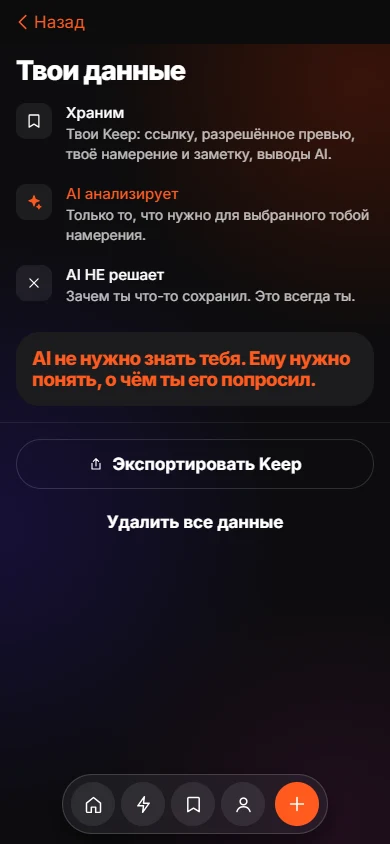
KEEP needs no account. It creates a random device ID, and under that ID its server stores what you save and the analysis of it. There are no ads, no tracking across apps and no sale of data. You can export or delete everything in Settings.
Who is responsible for your data?
The developer of KEEP is the controller of the data described here. The KEEP server runs on a rented virtual server operated by the developer; no other company processes your saves on our behalf.
What does KEEP store?
KEEP stores the following on its server, under a random device identifier:
- Links, text and notes you save.
- The intent you chose (why you saved it), plus plans, dates and results.
- Screenshots, photos and videos you add.
- Analysis derived from them: recognized text (OCR) and speech transcripts.
Your saved items leave the phone. If that is not acceptable for something, do not save it in KEEP.
Why, and who receives it?
Purpose: to show your saves back to you, search them and suggest what to do with them. Nothing is used for advertising or sold.
Recipients: only the KEEP server. When you save a link, the server requests that public page (for example a social post, a video page or a news site) to read its title, cover and, for video links, the video, so those sites see a request from our server. Suggestions come from a language model that runs on KEEP's own infrastructure; your text is not sent to an outside AI provider. The app uses no analytics, crash-reporting or advertising SDK and has no in-app purchases.
How is a link or screenshot analyzed?
To analyze a public video link, the server temporarily fetches the video, recognizes speech and cuts, and deletes the file straight away. Only the text analysis is kept. Screenshots you choose are read with OCR the same way, and the temporary file is deleted. AI can be wrong, and you can correct what it found.
Which permissions does KEEP use?
- Photos: only the pictures and videos you pick through the system picker. KEEP has no access to your whole library.
- Notifications: only if you allow them, for reminders on items you set up (a date or a weekend). The app asks once and you can turn them off in iPhone Settings.
- Clipboard: the app reads a link when you tap paste. It does not read the clipboard in the background.
- Location, contacts, camera and microphone are not requested.
What does KEEP not do?
KEEP has no ads, no tracking across apps and no sale of data to brokers. The app does not use the advertising identifier and shows no tracking prompt.
Is anything public?
If you create a Let friends pick link, the page shows titles and covers of the saves you chose to anyone who has the link. Share it only with people you trust. The page has a report link.
Where is the data on my device?
The device ID is kept in the iOS Keychain through secure storage and is removed when you delete all data. Because there is no account, your items belong to the device ID and may not open on another device.
How long is it kept?
Data is kept while you use the app. Open Me, Settings, then AI & Privacy and tap Delete all data to remove everything tied to your device, including analysis, uploaded files and shared pick pages. This cannot be undone. The same screen has Export my Keeps, which gives you a JSON file.
Children
KEEP is not intended for children under 13.
Your choices, deletion and contact
- Delete your account and its data at any time: KEEP has no sign-up, but your saves are stored on our server under a random device ID. In the app open Me › Settings › AI & Privacy › Delete all data; this removes your saves, analysis, uploaded files and shared pages from our server immediately and cannot be undone.
- You can withdraw a permission (camera, photos, location, notifications, microphone) at any time in iPhone Settings › the app name.
- To ask what data we hold about you, to correct it or to delete it, email support@dziby.com. We answer within 30 days.
- The app is not directed to children under 13, and we do not knowingly collect their personal data.
- If this policy changes, we update this page and the date below before the change takes effect.
- Last updated: 2026-10-11.