KEEP
KEEPFind a save by how you remember it
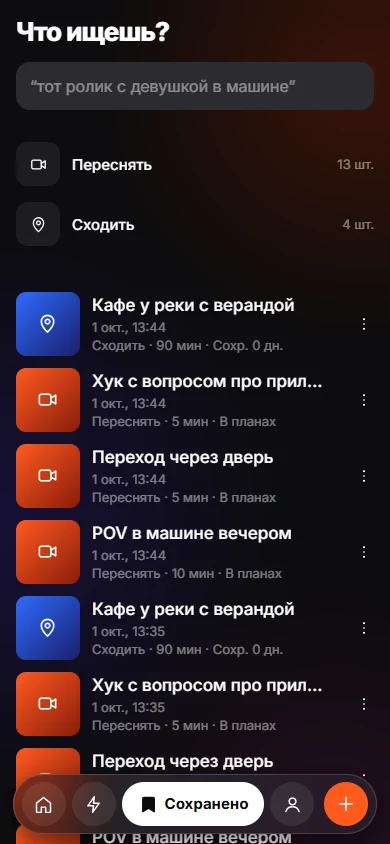
The Keeps tab starts with a question: what are you looking for? Type a rough memory such as "restaurant with the red pasta" or "that thing I wanted to send Max". KEEP searches what it stored for each item and states why each result matched.
Coming soon to iPhone
How does the search work?
Type a few words into the box. KEEP returns the count of items found and lists them. If nothing matches, it suggests different words. It can tell when you mean a plan for two people and shows "2+ people".
Why did this result appear?
Each result carries a line that starts with "Found because", followed by the match type and value. A match can come from your intent, a place, a note or text read from the item. If a result looks wrong, you can see which clue caused it.
What are the folders?
Below the search box, KEEP lists folders by intent with counts, for example Recreate and Go. Tap one to filter, and tap "clear filter" to reset.
Which things can be searched?
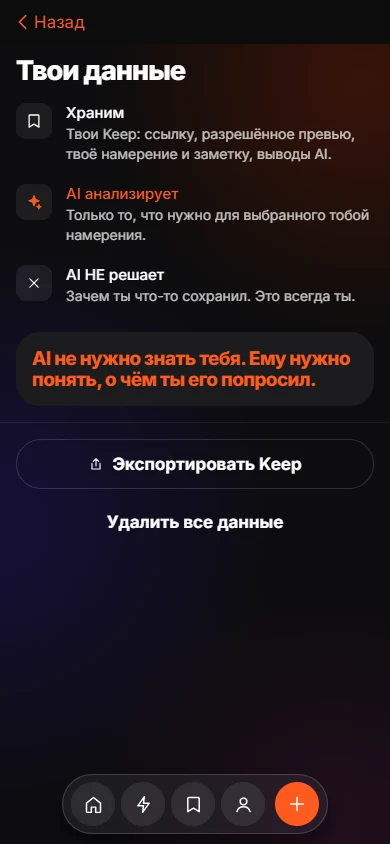
Search covers what KEEP stores for each item: the link and preview, your intent and note, plus the analysis. The analysis includes text recognized from screenshots and the transcript of speech from videos. See the privacy page for how these are handled.
| Part of the item | Stored by KEEP |
|---|---|
| Title and preview | Yes |
| Your intent | Yes |
| Your note | Yes |
| Text from screenshots | Yes |
| Speech transcript of a video link | Yes |
What if I never filed anything?
Items saved with Just Keep sit in the Inbox. They are still saved with the rest of your Keeps, so you can look for them before you decide why you kept them.
Examples of searches that work
KEEP suggests prompts in the box, and they show the idea: "that reel with a girl driving", "restaurant with the red pasta", "marketing hook I saved", "shoes I wanted". You describe the memory, not the file name.
- Describe what you saw.
- Add where you were or who was with you.
- Use the intent word, such as Go or Try.
What if search finds the wrong thing?
Use the folders to narrow by intent, or read the "Found because" line to learn which word matched. If AI found the wrong place, correct it on the item. Your correction is stored and wins over the guess.
Frequently asked questions
Does search work in Russian?
The interface has Russian and English. The example prompts change with the language.
Can I search by a place name?
If a place was found in the item or you set it yourself, it is part of what KEEP keeps for that item.
Where are my items stored?
On the app server, under your random device ID. See the privacy page for details.
Why does it say nothing found?
Try other words. Matches depend on what KEEP read from the item and on what you wrote.