 KEEP
KEEPKEEP vs Sorti: AI that sorts your saves or a reason you choose?
Sorti and KEEP both aim at the same problem: screenshots, posts and links you save and never use. Sorti lets its AI organize everything into categories, with maps, product finding and reminders. KEEP asks you to tap a reason for each save and shows what you can do now. Pick Sorti to automate, KEEP to decide.
Coming soon to iPhone
What is the short answer?
Choose Sorti if you want an app to sort screenshots, social posts, products and places into categories on its own, show places on a map and help you find the exact product in a screenshot. Choose KEEP if you want to say why you saved each item yourself, then see a short list of what you can do now, this week or later.
Sorti facts come from its US App Store listing, checked on October 10, 2026. KEEP is our own app and is still in development, so it has no App Store rating. Apps change quickly, so confirm details before you rely on them.
KEEP vs Sorti at a glance
| KEEP | Sorti | |
|---|---|---|
| App Store status | In development, not yet released | Live since April 2024, 4.8 from 37 US ratings |
| Platforms | iPhone only | iPhone and iPad |
| Who organizes your saves | You choose one of eight reasons; the AI only observes | AI sorts into categories and subcategories automatically |
| What you can save | Links, notes, screenshots you pick, ideas and places | Screenshots, photos, social posts, links, products, recipes, places |
| Screenshots | You pick 10 or 20; text is read and filed into seven folders | Adds your latest screenshot from the gallery; AI identifies items inside |
| Search | By memory, with a "Found because" line for each result | Smart categories, search and filters |
| Maps | No map | Saved places on a map |
| Reminders | Reminders for items you set up, if you allow notifications | Reminders for things you do not want to miss |
| Sharing | Let friends pick: a link that shows up to three saves | Share cards and copies of whole categories |
| App languages | English and Russian | English and Hebrew |
What does Sorti do better than KEEP?
Sorti automates. Its listing says the AI understands what you save and organizes it into smart categories and subcategories, so you do not sort by hand. It also goes further on products: it says it identifies items inside screenshots, finds the original source link and compares options across stores. It keeps the original creator of each save, shows saved places on a map, supports lists for trips, shopping, recipes and gifts, and turns saves into shareable cards. It runs on iPad, and the listing mentions screen reader support.
If your biggest problem is a camera roll of 3,000 screenshots and you want them sorted with the least effort, that is Sorti's case.
What does KEEP do better than Sorti?
KEEP makes the decision yours and keeps it small. Every save carries one of eight reasons: Recreate, Go, Try, Get, Use, Learn, Send or Remember. The AI can reorder the buttons and note what it found, such as a place, but it never picks the reason. After you choose, KEEP asks whether you really want to do it, and only a yes enters the Do tab. That keeps the list short.
Today and Do then sort commitments into Now, This week and Later, with minutes, company and place on each card and a "Why now?" explanation. Search by memory takes a rough description and says why each result matched. For creators who save videos to remake, Creator Mode builds a plan from saves. A 7-day challenge and a monthly recap count what you finished, not what you stored.
Where is KEEP weaker?
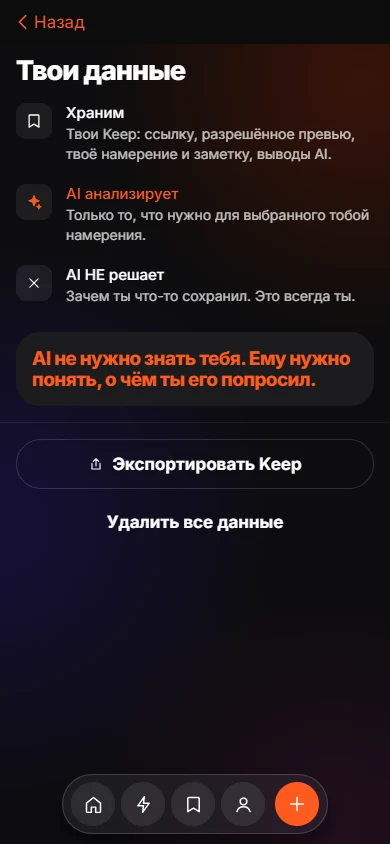
Be clear on the gaps. KEEP has no map, no product matching or price comparison, no iPad version and no Android version. It supports two app languages. It has no share-sheet button yet, so you copy a link first. Items are stored on the app's server under a random device ID, so they may not open on another device, and search needs a connection. Screenshots must be picked by you; KEEP does not scan your library. See the privacy page.
Which should you pick?
Both can be tried side by side. Watch which one you open a week later.
- You want fully automatic sorting of screenshots and posts: Sorti.
- You shop from saved posts and want to find the exact product: Sorti.
- You want places on a map: Sorti.
- You tend to save plans and never start them, and you want to choose why: KEEP.
- You make videos from saved formats: KEEP.
- You want a short, honest list of what to do today: KEEP.
How do the two handle a typical week?
Take a plain example: you save a ramen reel, a screenshot of a jacket, a recipe video and a weekend trail post. In Sorti, each lands in a category by itself, so the reel goes under food or places, the jacket under products and the trail under places or travel. You open the app and browse categories, view places on the map or set a reminder. The strength is that you did nothing at save time.
In KEEP, you tap a reason at save time: Go for the ramen, Get for the jacket, Try for the recipe, Go again for the trail. Each takes a second. KEEP then asks whether you really want to do each, and puts the yeses in Do, sorted by minutes. On Saturday morning you see the trail under This week and the jacket under Now. The strength is that the list is short and each card explains itself. The cost is one tap per save.
Does automatic sorting solve the problem?
It solves finding. If your pain is that a good restaurant is somewhere in 2,000 screenshots, automatic sorting is a real fix, and Sorti is built for it. It does not by itself make you go. Many people discover that a tidy library of saves is still a library. Choosing a reason at the moment of saving moves part of the doing decision earlier. Whether that helps you depends on your temperament. If an extra tap annoys you, you will skip it and KEEP will not work for you. If you like deciding, the tap is the point.
Neither app removes the need to delete. Whatever you pick, prune weekly.
Frequently asked questions
Is KEEP the same kind of app as Sorti?
They share the goal of turning saves into action. Sorti sorts with AI. KEEP asks you for the reason and uses AI only to observe and suggest.
Is Sorti free?
Its US App Store listing shows it as free to download. Check the listing for in-app options.
Does Sorti have a map?
Yes. Its listing says you can explore saved places on a map.
Is KEEP on the App Store?
Not yet. The iPhone app is in development.
Which one is better for screenshots?
Sorti if you want automatic organization of a large pile. KEEP if you want to choose 10 or 20 images, read them and file each with a suggested action.
Keep exploring
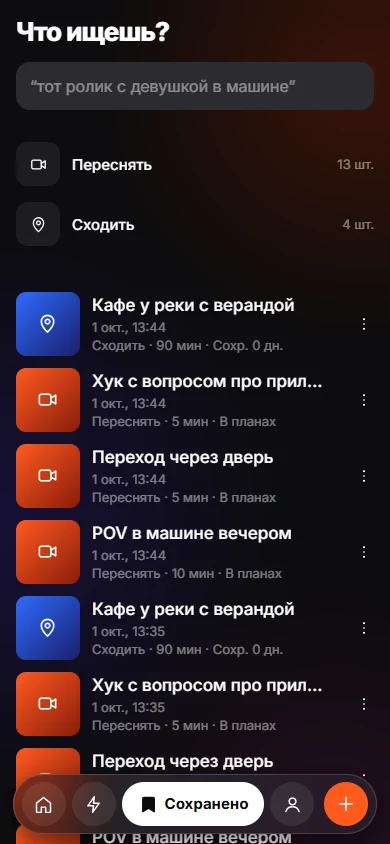 Save With a ReasonEight intents, one tap. Your reason stays yours; the AI only observes.
 Sort Screenshots on iPhone Into Folders With KEEPPick screenshots, let KEEP read them, confirm one suggested action each.
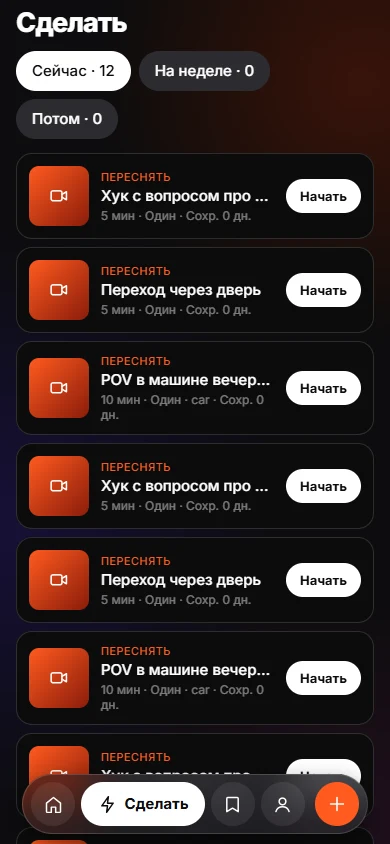 Today and DoToday and Do sort saves into Now, This week and Later, with a reason on every card.