 KEEP
KEEPHow to keep a restaurant bucket list on your iPhone
A restaurant bucket list works best as one list in one place, with the name, the area, the dish that made you save it and who you want to go with. Apple Maps and Google Maps can hold the pins. A note or an app should hold the reason and the date.
Coming soon to iPhone
What is the best way to keep a restaurant bucket list?
Pick one home for the list and make every restaurant arrive there. A map app is the best home for location. A notes app is the best home for context. Most people need both, and the problem is that saves scatter: one restaurant in a Reel, one in a screenshot, one in a friend's message, one pinned on a map.
The fix is a short routine. When you see a restaurant, copy the name or link to your list within a minute, and add a few words: area, dish, occasion. That is enough for the list to work when you stand on a street at 7 pm and ask "where should we eat?".
Can I use Apple Maps?
Yes. In Apple Maps you can add a place to a Guide. A Guide is a named collection of places, such as "Dinner in Lisbon", which you can create from a place card using the Add to Guide option. Guides can be shared with other people, and the places show on the map when you are nearby. For favorites you want one tap away, Apple Maps also has a Favorites list.
Strengths: the map view shows what is near you. Weakness: a Guide holds the place but gives little room for the reason you saved it, and it will not remind you that you wanted to go with a friend.
Can I use Google Maps?
Yes. In Google Maps you tap Save on a place and choose a list: Favorites, Want to go, Starred places or a new list you create. Lists can be shared, and the app shows a saved icon on the map. It works on iPhone and the web, which helps if you switch between devices.
The same limit applies. The list is organized by place, and it does not tell you why you wanted to go. Add short notes where the app allows it, or keep the reason in a separate note.
What should each entry include?
A restaurant entry that works six months later has five parts:
Keep it to one line. Longer entries do not get written.
- Name and area. "Nori, Kreuzberg."
- The reason. "Hand-pulled noodles, saw on a Reel."
- Who. "With Max or Anna."
- Occasion or timing. "Birthday, weekend lunch."
- Booking info. "Closed Mondays, needs a reservation."
A template you can paste into Notes
Create a note called "Eat out" with these headings, and keep each item to a line:
Moving an item between headings is the whole system. Reaching Done means you went. A one-word rating, such as "again" or "skip", saves arguments next time.
- Book this month
- Casual, no booking
- Special occasion
- With visitors
- Done, with rating
How do I stop the list from growing forever?
Set a cap. A list of 15 restaurants gets used. A list of 150 does not. When you add a new place at the cap, remove one. Once a month, scan the list and ask whether you still want each one. Restaurants close, and tastes move on. Deleting is part of the job.
Another useful rule is to attach a date to at least two items each week. "Thursday, ramen with Max" turns a wish into a plan. Everything without a date stays in the pool until its turn.
How does KEEP handle restaurants?
KEEP is an iPhone app, in development, for saves you want to act on. You copy a link to a Reel, a map listing or a post, tap + in KEEP and paste it. The preview loads. If KEEP finds a place, a line starting with "AI found" says so, and you can correct it. Then you tap Go, and KEEP asks whether you want to go. Yes puts the item in the Do tab. See save with a reason.
Two fields on the add screen help with restaurants: Who (Solo, 2, 3 or 5+) and Where (home, car, outside, cafe, gym). Those values later decide which items fit a situation such as "With someone". The Today tab can show what fits an evening, and every card explains itself with "Why now?". If you have a screenshot of a menu, KEEP can read it and file it in a Places folder with the suggested action Go.
KEEP is not a map. It does not show restaurants on a map and does not ask for your location. Use a map app for navigation and KEEP for the decision to go. The Today and Do page describes the tabs.
How do I pick where to eat with friends?
Decisions between several people stall on "I don't mind". Narrow the field before you ask. Show two or three options from the list and let people vote. KEEP's "With someone" flow does this: it filters saves that suit company and offers a Let friends pick link that shows up to three of them, so the other person can choose. The link page shows titles and covers of the saves you picked to anyone who has it, so share it with people you trust.
How do I handle restaurants when I travel?
Make a separate list for each trip, and name it by city and month. Add a pin on a map for each place, and keep the reason and booking info in a note. Cluster places by neighborhood so one day does not cross the whole city. Check opening hours close to the date, because small restaurants change them often. When the trip ends, move the visited places to a Done list with a rating, and delete the rest.
Frequently asked questions
What is a restaurant bucket list?
A list of restaurants you want to try, saved in one place with a reason for each. It differs from favorites, which are places you already know.
What is the best app for a restaurant bucket list?
A map app such as Apple Maps or Google Maps handles location. A notes app or an app like KEEP handles the reason and the plan. Many people use one of each.
How do I share my restaurant list with a friend?
Apple Maps Guides and Google Maps lists can both be shared. For a quick pick between a few places, send two or three options in a message.
How many restaurants should I keep on the list?
Fifteen to twenty. Beyond that the list stops being used.
Can I save restaurants from Instagram?
Yes. Copy the post link or the place name into your list the moment you see it, and add the dish or reason in a few words.
Keep exploring
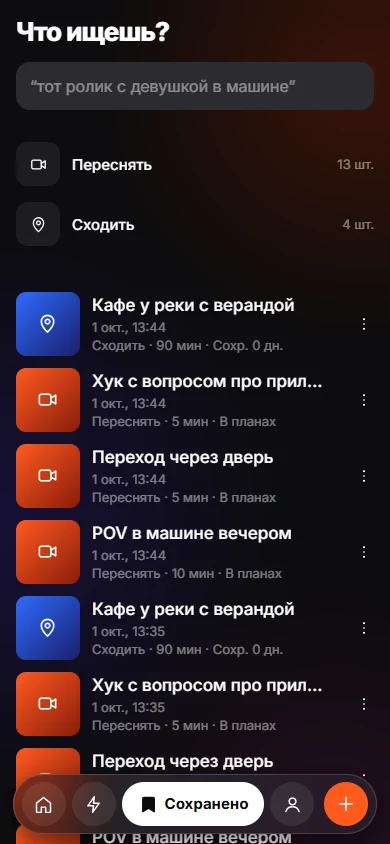 Save With a ReasonEight intents, one tap. Your reason stays yours; the AI only observes.
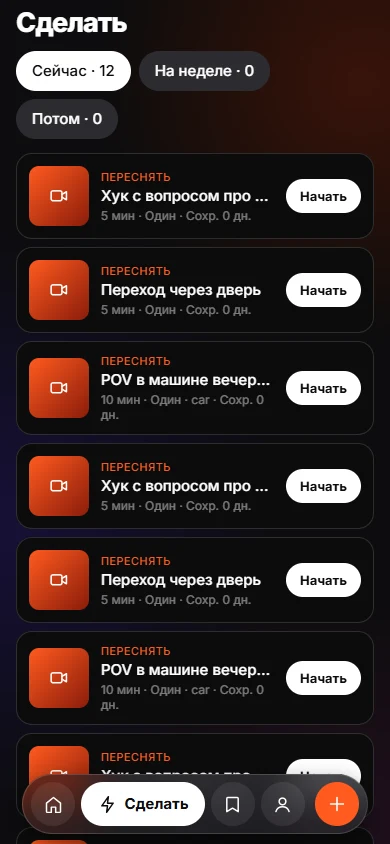 Today and DoToday and Do sort saves into Now, This week and Later, with a reason on every card.